
The swing trainer that fits in your pocket.
Striped uses the iPhone in your pocket, your AirPods, and your Apple Watch to measure your swing metrics. Hear your tempo after every swing, then review the whole session.
You’re on the list. Check your inbox.
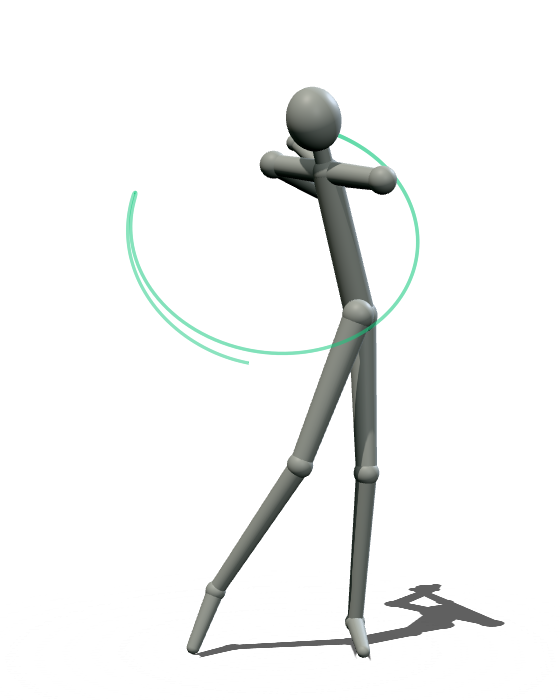
- Backswing
- 0.90s
- Downswing
- 0.30s
- Tempo
- 3.0:1
An illustrative swing at a 3:1 tempo. The line traces the lead wrist.
No clip-on sensor. No camera on a tripod. Your iPhone goes in your pocket, your AirPods in your ears, your Apple Watch on your wrist, and you hit balls.
Built on the devices you already carry.
Three devices work together, each measuring the part of the swing it’s closest to.
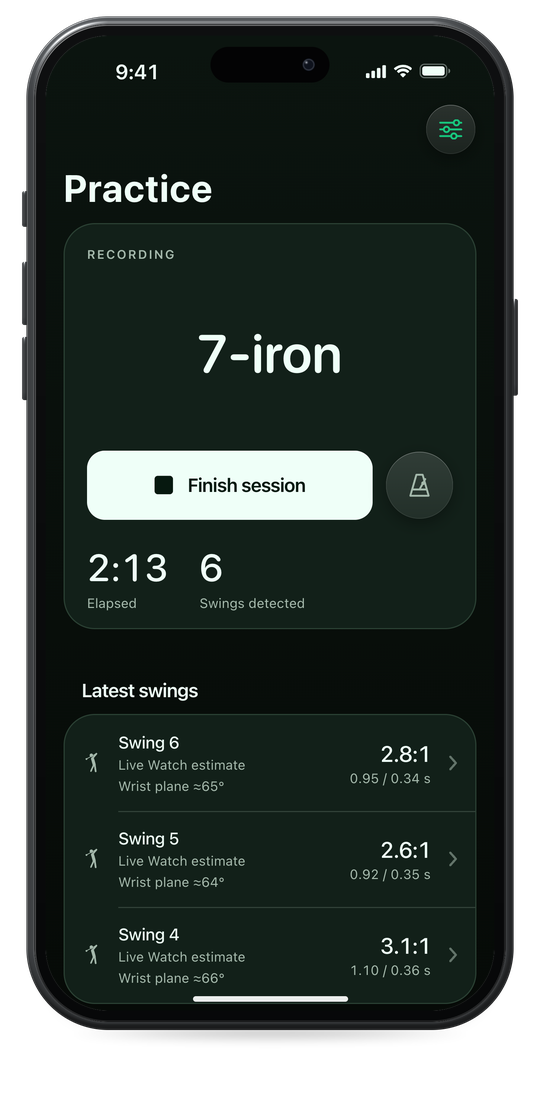
-
01
iPhone
In your front pocket
Runs the session, picks out each swing and measures your backswing and downswing from the motion of your hips.
Swing detection · Tempo · Hip turn
-
02
AirPods
In your ears
Play the metronome and tell you your tempo after every swing. Motion-capable AirPods also track how your head moves.
Metronome · Spoken tempo · Head movement
-
03
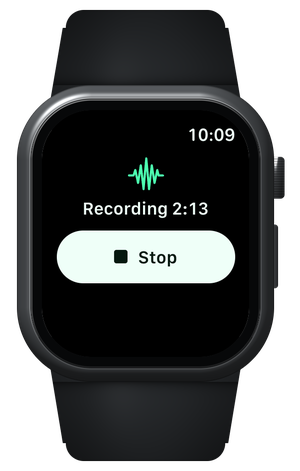
Apple Watch
On your lead wrist
Measures each swing at the wrist and traces your hand path. It keeps recording if the connection to your iPhone drops.
Wrist tempo · Swing plane · Hand path · Wrist speed · Short game and putting
- 1
Choose your practice
Pick driver, irons, chips, pitches or putting, and a metronome pace if you want one.
- 2
Pocket your phone and swing
Put iPhone in your front pocket, your AirPods in and your Apple Watch on, then hit balls. Stop from iPhone or Apple Watch.
- 3
Review the session
Open the report for your tempo, your movement and every swing you hit.
Hear every swing.
Striped talks to you through your AirPods, so there’s no screen to check between shots.
MetronomeTour · 3:1
After the swing, in your AirPods Three point one to one.
Tour pace: 0.80 seconds back, 0.27 seconds down.
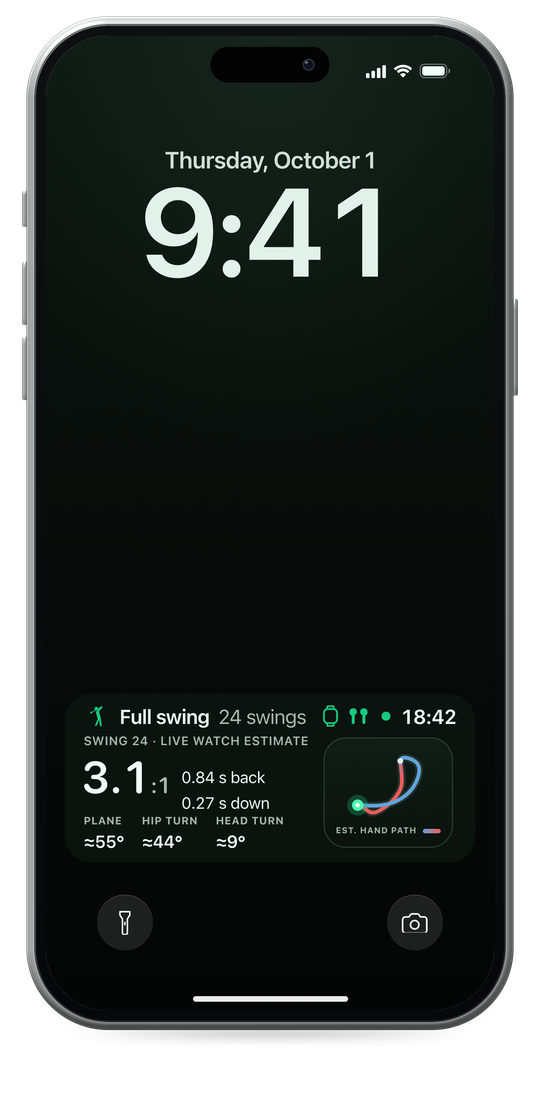
A metronome for your swing
Three tones mark takeaway, top and impact. Four full-swing paces at 3:1, and 2:1 for the short game and putting.
Your tempo, spoken
After each swing you hear a soft chime, then your backswing-to-downswing ratio read out.
As much as you want to hear
Choose what gets read out, or turn the voice off and keep just the chime.
Every swing, measured.
After each session, the report breaks down every swing: your tempo first, then how your hips, head, hands and wrists moved.
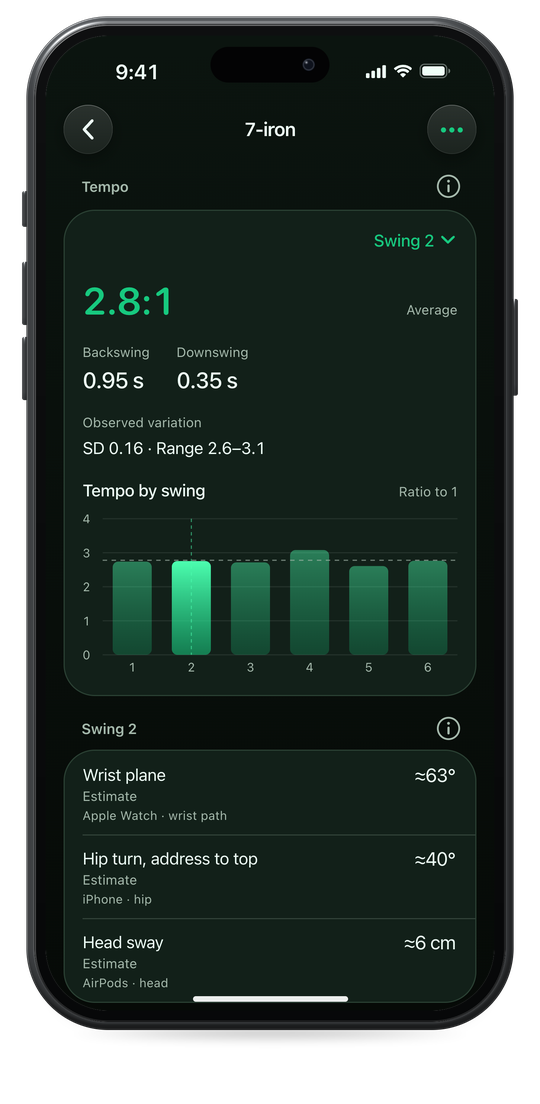
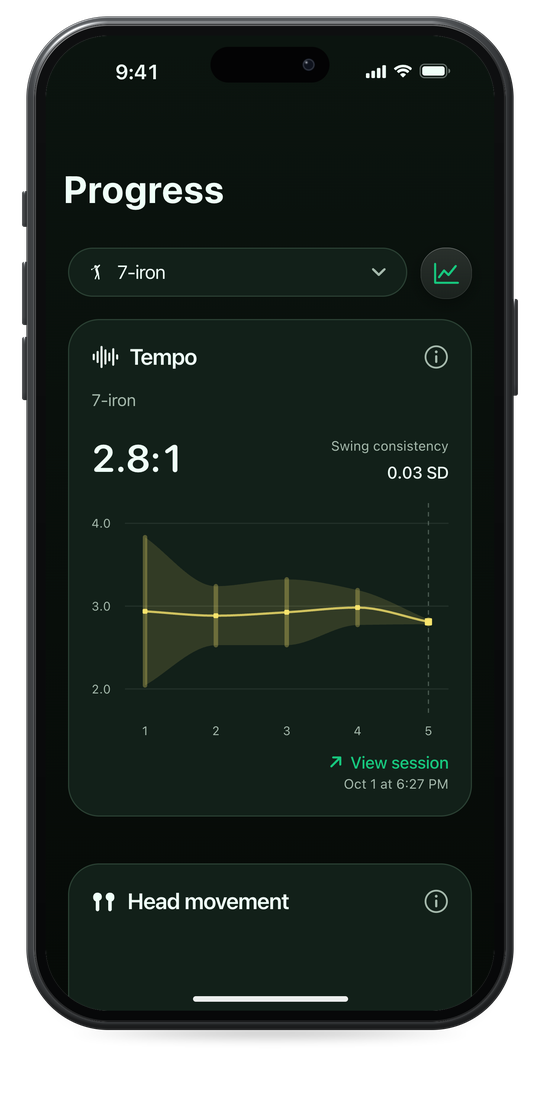
Tempo
iPhone · Apple Watch
Backswing time, downswing time and their ratio, for every swing.
Hip turn
iPhone
How far your hips turned, from the phone in your pocket.
Head movement
AirPods
How your head turns and moves through the swing.
Swing plane and hand path
Apple Watch
The plane your swing ran on, and the path your hands traced.
Wrist speed
Apple Watch
How fast your wrist moved through the swing.
Short-game and putting tempo
Apple Watch
The same back-and-through rhythm for chips, pitches and putts.
Built on tens of millions of data samples.
Five ways to practice.
Choose what you’re working on, and Striped sets the metronome and the measurements to match.
| Mode | Kind | Metronome | What it measures |
|---|---|---|---|
| Driver | Full swing | 3:1 | Tempo and full-swing movement |
| Irons | Full swing, labeled by club | 3:1 | Tempo and full-swing movement |
| Chips | Short game | 2:1 | Stroke tempo |
| Pitches | Short game | 2:1 | Stroke tempo |
| Putting | On the green | 2:1 | Stroke tempo |
Your swings stay yours.
Striped is built to measure your swing, not to profile you.
Read the privacy policy- Kept on your iPhone
Your recordings stay on your iPhone. Cloud backup is optional and off until you turn it on.
- No ads or trackers
No advertising, and no third-party analytics or tracking code in the app.
- Never sold
We don’t sell your data or share it for advertising.
- A quiet website
This site sets no cookies and loads nothing from anyone else.
Questions.
Setup, permissions and subscriptions are on the support page.
What do I need to use Striped?
Striped is built around three devices working together: an iPhone running iOS 17 or later in your front pocket, motion-capable AirPods, and an Apple Watch running watchOS 10 or later. You sign in with Apple to use the app.
What does Striped measure?
The tempo of every swing: backswing time, downswing time and their ratio. Alongside it, your hip turn, head movement, swing plane and hand path, and wrist speed, plus the tempo of your chips, pitches and putts.
Do I have to look at my phone while I practice?
No. Lock the screen and keep it in your pocket. The metronome and your tempo come through your AirPods, and you can stop the session from iPhone or Apple Watch.
Where are my recordings stored?
On your iPhone. Private cloud backup is optional and stays off until you turn it on, and video and audio are only uploaded if you include them for a session. The privacy policy has the details.
Do I need an account?
Yes. You sign in with Apple, so there’s no new password to remember.
Questions or feedback?
Write to us for help with the app or feedback on a session.